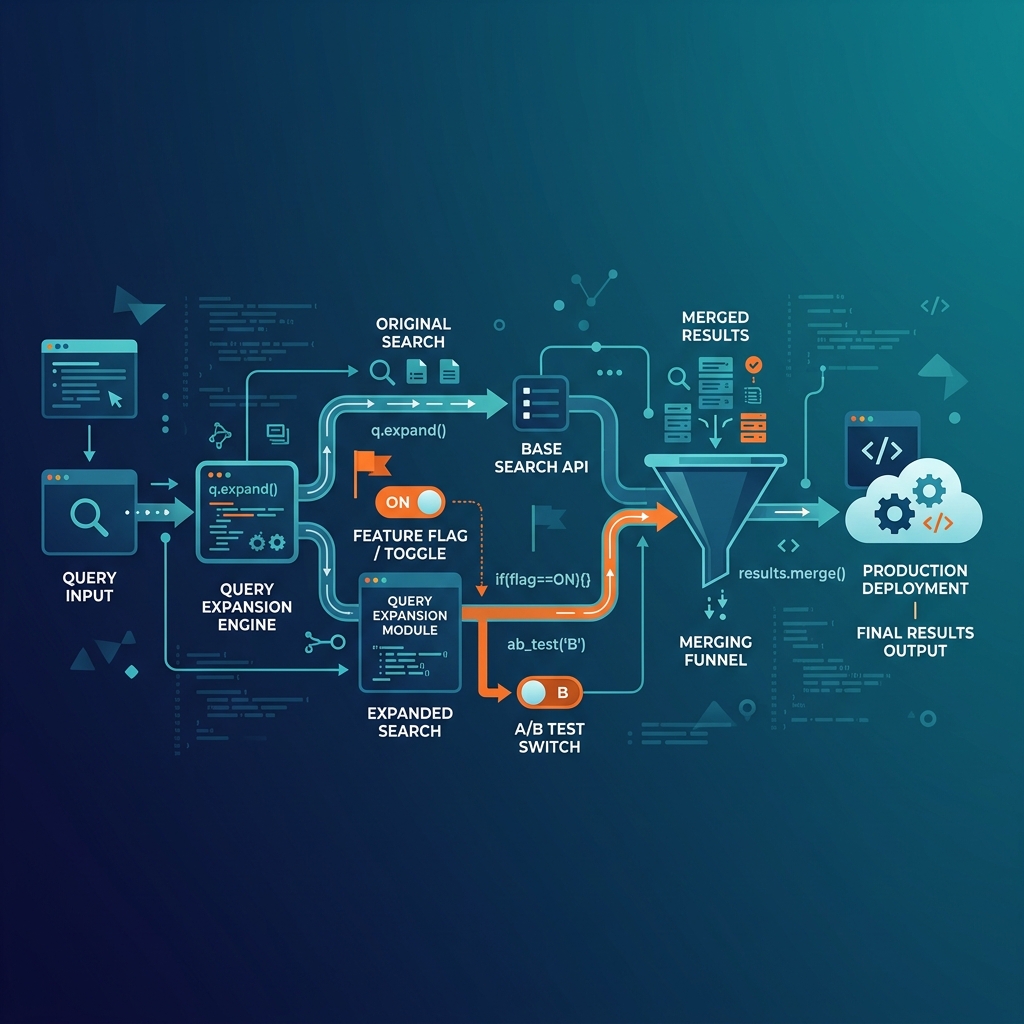
Query expansion sounds simple: search with three versions of a question instead of one. In practice, every step has pitfalls. Here are six lessons from building multi-query search in production.
Quick Recap
In a standard chatbot, the user's question becomes one search query. Query expansion generates two alternative versions, runs them all in parallel, and merges the results. The goal: find relevant pages that the original wording would miss.
(For the full overview, read Query Expansion: How AI Chatbots Find Answers You Didn't Know You Had.)
Lesson 1: The Original Query Must Win Ties
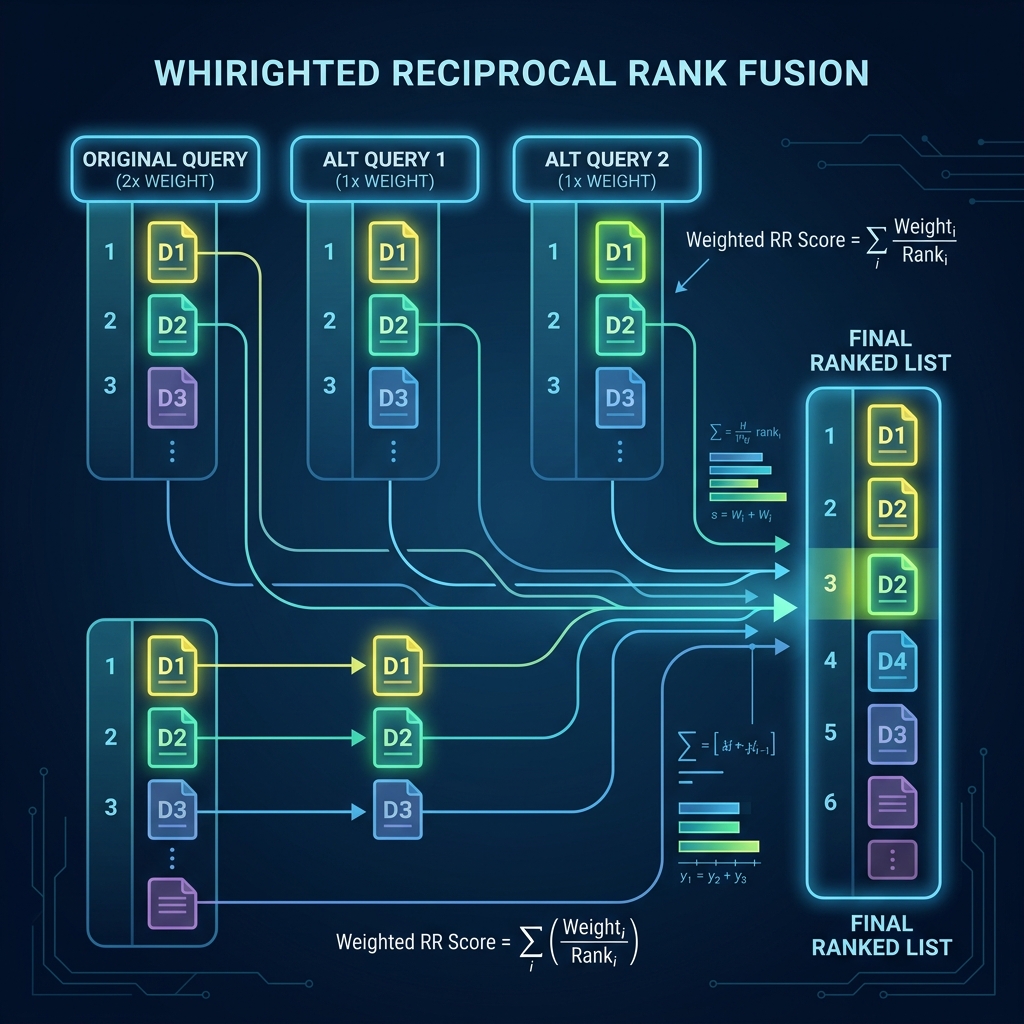
Think of expansion queries as "scouts" — they explore territory the original can't reach. But when the original finds what it's looking for, the scouts should step aside.
The customer's own words are almost always the best search signal. Expansion fills gaps — it shouldn't overpower the original. The fix: give the original query 2× weight in result scoring. If a page ranks #1 for the original and #5 for an expansion, it stays near the top.
Lesson 2: Position-Aware Blending Protects Exact Matches
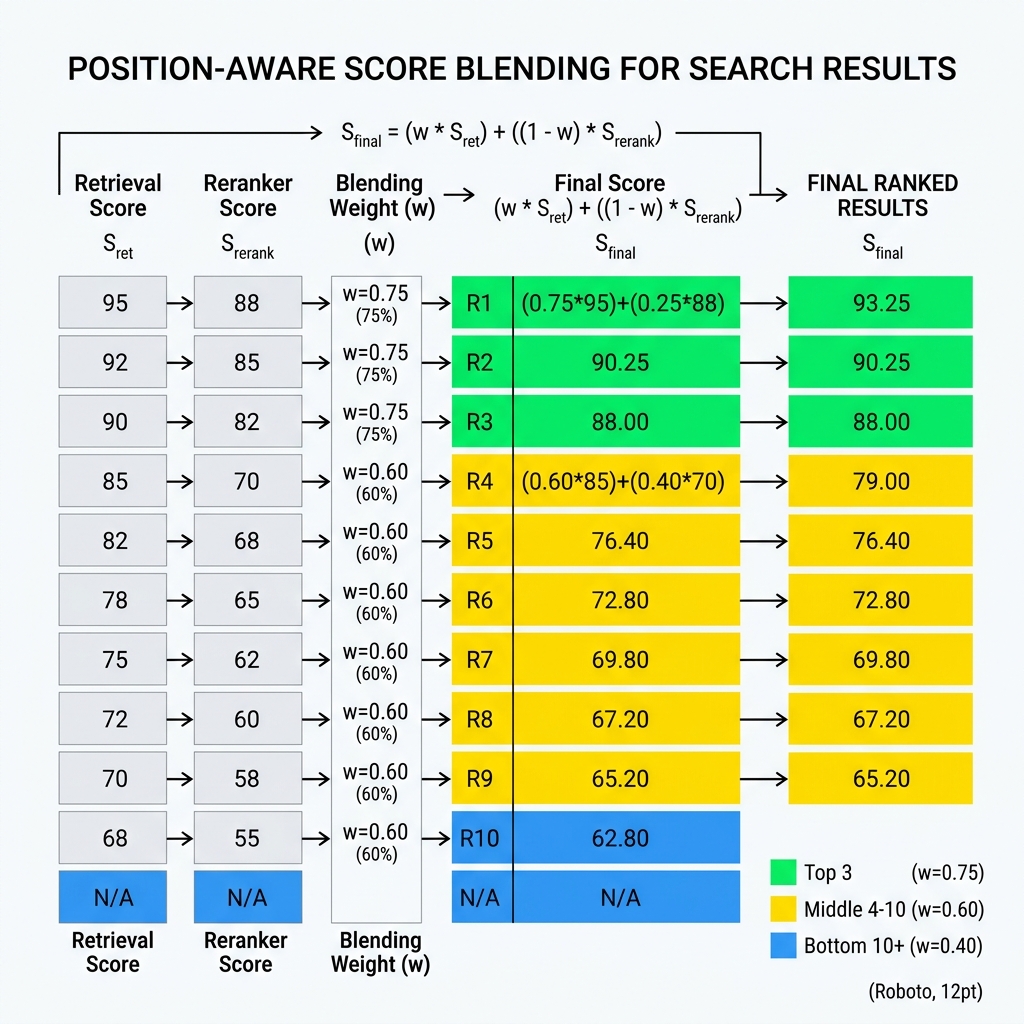
Many chatbots use a reranker — a second model that re-scores search results. Rerankers are powerful, but they can push down exact matches in favor of documents with "richer context."
| Position | Search Score | Reranker Score | Why |
|---|---|---|---|
| Top 1–3 | 75% | 25% | Protect exact matches |
| 4–10 | 60% | 40% | Balanced blend |
| 11+ | 40% | 60% | Trust reranker on weaker results |
Lesson 3: Two Good Expansions Beat Five Mediocre Ones
It's tempting to generate 5 or 10 alternatives to maximize coverage. In practice, two well-crafted expansions beat five mediocre ones:
The sweet spot — two alternatives with specific goals:
Lesson 4: Know When to Skip
| Query Type | Example | Expand? |
|---|---|---|
| Very short (1–2 words) | "pricing" | ❌ Skip |
| Exact identifiers | "error E-4021" | ❌ Skip |
| Product codes | "SKU-PRO-2026-X" | ❌ Skip |
| Natural questions | "What's your return policy?" | ✅ Expand |
| Multi-concept queries | "shipping time for bulk orders" | ✅ Expand |
Lesson 5: Feature Flags Are Non-Negotiable
Query expansion changes search behavior fundamentally. Rolling it out without the ability to toggle it per customer is asking for trouble.
| Level | Purpose | Default |
|---|---|---|
| Global | Kill switch for the entire feature | On |
| Per-chatbot | Enable/disable for individual instances | Off (opt-in after testing) |
| Per-query | Auto-skip for short/identifier queries | Always on when expansion is enabled |
The worst scenario: enabling expansion globally, seeing 30% better average quality, but not noticing that 5% of exact-match queries got worse. Feature flags let you catch this in a controlled environment.
Lesson 6: Choosing the Right Reranker
There are two approaches to re-scoring search results:
The Full Pipeline
How to Measure Success
| Metric | What It Shows | Target |
|---|---|---|
| Dead-end rate | % of "I don't know" responses | 30–40% reduction |
| Context diversity | Unique source pages per query | +1–2 more pages |
| User satisfaction | Thumbs up/down ratio | Measurable uplift in 2 weeks |
| Regression rate | Queries that got worse | Zero with position-aware blending |
The Bigger Picture
Query expansion finds more documents — which also means it finds more contradictions. This is why knowledge lint and expansion are complementary: lint catches conflicts at training time, expansion catches them at query time.
Together with auto-synthesized knowledge, they form a complete pipeline: clean data → structured knowledge → better search → accurate answers.
Related: Query Expansion: The Concept | Knowledge Lint | Auto-Synthesized Knowledge | Dark AI Traffic