
Your AI chatbot doesn't know it's wrong. It finds two answers in your data, picks one, and says it with full confidence. Knowledge Lint is the practice of checking your training data for mistakes before your customers find them.
The Problem: Wrong Answers That Sound Right
Picture this: a customer asks your chatbot about pricing. It says "$99/month." But you lowered the price to $79/month three weeks ago. The old pricing page is still in your training data, sitting right next to the new one.
The chatbot doesn't flag the conflict. It doesn't say "I found two different prices." It picks one and delivers it like a fact. The customer either overpays or thinks your product costs more than it does. Either way, you lose.

What Is Knowledge Lint?
In software development, a "linter" checks your code for bugs before it runs. Knowledge lint does the same thing for AI training data — it scans your content for problems before your chatbot starts talking to customers.
It catches three types of issues:
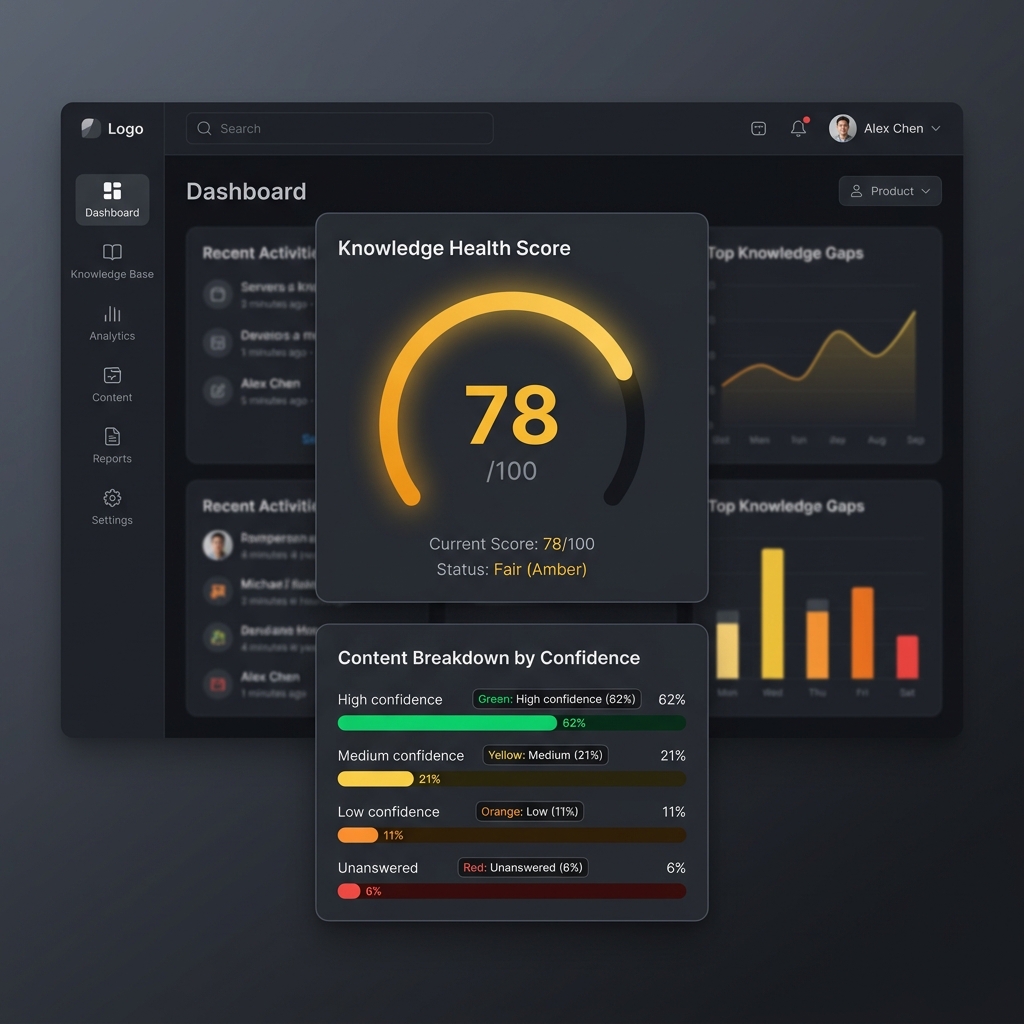
The Knowledge Health Score
Knowledge lint doesn't just say "pass" or "fail." It gives you a Knowledge Health Score — think of it like a health check for your training data:
| Score | Level | What It Means |
|---|---|---|
| 90–100 | 🟢 Excellent | No contradictions, good coverage, fresh content |
| 70–89 | 🟡 Good | Small gaps, maybe 1–2 stale pages, nothing critical |
| 50–69 | 🟠 Needs Work | Contradictions found, noticeable gaps, some old content |
| Below 50 | 🔴 At Risk | Multiple contradictions, major blind spots, mostly outdated |
The score isn't just a number — every point lost comes with a specific fix. "Update your pricing page" or "Add content about your return policy."
Why Data Quality Beats Model Quality
A great AI model with bad data gives worse answers than a basic model with clean data. The training data is usually the bottleneck — not the AI.
Most businesses obsess over which AI model to use — GPT-4, Claude, Gemini. But the model is rarely the problem. Your content is.
This gets even more important when you use query expansion or advanced search. Better search finds more documents — which means it surfaces contradictions more often. Without lint, improving your search actually makes wrong answers more frequent.
How It Works
Knowledge lint runs automatically after training — after your chatbot ingests your content, but before it talks to customers:
Knowledge Lint + Auto-Synthesized Knowledge
Lint is even more useful when paired with auto-synthesized knowledge. Instead of just finding contradictions, the system can resolve them — building clean summary pages that normalize conflicting information.
What Nobody Else Does
Right now, most AI chatbot platforms don't check your training data for quality. They all do the same thing:
There's no visibility into what the AI actually learned. No conflict detection. No gap analysis. You don't know if your chatbot is quoting wrong prices until a customer complains.
Knowledge lint turns "train and hope" into "train, audit, and verify."
Get Started Today
Even without automated lint, you can do a manual check right now:
Related: How Query Expansion Finds Better Answers | Beyond RAG: Auto-Synthesized Knowledge | Dark AI Traffic: The Invisible Problem