A visitor opens your chatbot and asks about pricing. Is this someone who landed from a Google Ad thirty seconds ago — or a returning visitor who has browsed your site five times this week? The answer changes everything about how your sales team should respond.
The Problem: Every Lead Looks the Same
Most AI chatbot platforms show you a conversation thread and maybe a name. That's it. Every visitor is a blank slate — no context on how they found you, what they explored before chatting, or how engaged they actually are.
Sales teams end up treating a high-intent buyer the same as a casual browser. The pricing inquiry from a returning visitor who just came from your Google Ad gets the same generic response as someone who wandered in from a social media link.
Without visitor context, your AI chatbot is a blindfolded salesperson — answering questions without knowing who's asking or why.
What If Your Chatbot Could See the Full Picture?
Imagine opening a conversation in your dashboard and immediately seeing: this visitor found you through a Google search for "enterprise ERP pricing", landed on your solutions page, browsed pricing, came back two days later, and is now chatting from your contact page. That's a hot lead.
Now compare that to a visitor who clicked a social media link, spent 15 seconds on the homepage, and asked "what do you do?" — probably a cold inquiry that doesn't need the CEO's attention.
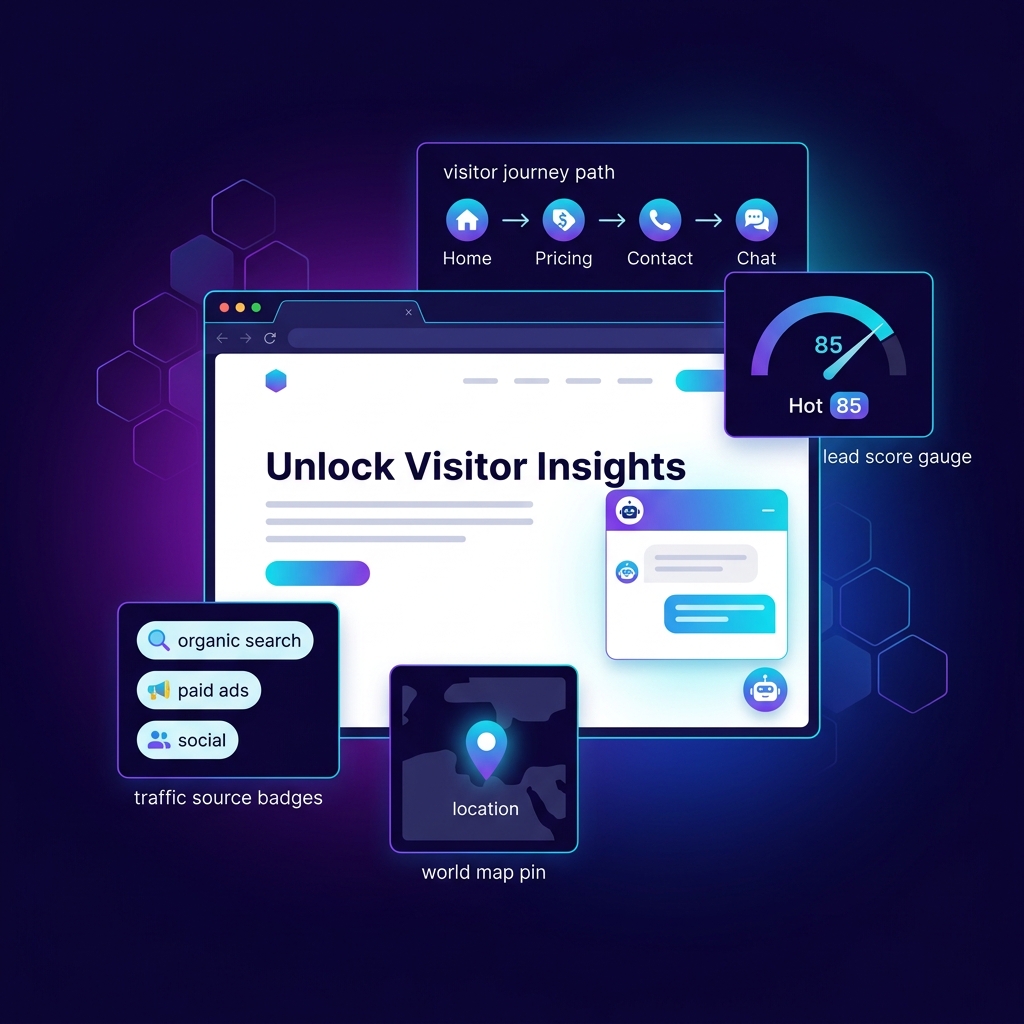
This is what Visitor Intelligence does. It captures the signals that already exist in every browser session — referrer, search terms, page navigation, time on site — and presents them alongside the conversation so your team can respond with the right urgency and tone.
How It Works
The system operates in three phases — all automatic, all privacy-safe.
Traffic Source Classification
Every conversation is automatically tagged with how the visitor arrived. This happens without any setup — the widget reads the referrer URL and URL parameters that are already present in every browser session.
| Source | How It's Detected | What It Means |
|---|---|---|
| Organic Search | Referrer from google, bing, yahoo, etc. | Visitor found you through a search engine |
| Paid Ad | URL contains ad-tracking parameters | Visitor clicked your ad — marketing spend is at work |
| Social Media | Referrer from social platforms | Visitor came from a social post or profile link |
| Referrer from email providers | Visitor clicked a link in your email campaign | |
| Referral | Any other external referrer | Another website linked to you |
| Direct | No referrer detected | Visitor typed your URL directly or used a bookmark |
The Lead Score: Hot, Warm, or Cold
Not every chat inquiry deserves the same response speed. A visitor who has been on your site for 5 minutes, browsed your pricing page, and is chatting for the third time this week is far more valuable than a first-time visitor asking a generic question.
The lead score (0–100) quantifies this automatically. It looks at multiple signals and assigns points based on how strongly each signal correlates with buying intent.
| Score Range | Tier | Recommended Action |
|---|---|---|
| 70–100 | Hot | Prioritize immediately. This visitor is actively evaluating your product. |
| 40–69 | Warm | Engaged and researching. Follow up within hours, not days. |
| 0–39 | Cold | Early-stage interest. Let the AI handle it — escalate only if they come back. |
The lead score doesn't replace your judgment — it tells you where to focus your attention first.
The Page Journey: Reading Intent Like a Story
Perhaps the most revealing signal is the page journey — the sequence of pages a visitor browsed before opening the chat. It reads like a story of intent:
The journey is displayed as a visual timeline in the conversation sidebar. Your sales team can see at a glance whether this is a casual browser or someone deep in a buying decision — and adjust their response accordingly.
What This Means for Your Business
Visitor Intelligence transforms your AI chatbot from a reactive tool into a proactive sales intelligence layer. Instead of treating every conversation equally, your team gets the context they need to:
This feature pairs powerfully with Knowledge Health Score — while Visitor Intelligence tells you who is asking, the health score ensures your AI has the right answers ready. Together, they turn a basic chatbot into an intelligent sales tool that knows its audience and its subject matter.
For a deeper look at how AI chatbots learn and retain knowledge, check out how auto-synthesized knowledge makes AI chatbots smarter.